Subtitles are one of the strongest features of DivX Player. You can search an online database from inside the player, load a subtitle file you already have, and adjust the look of the text until it is comfortable to read.
Search for subtitles inside the player
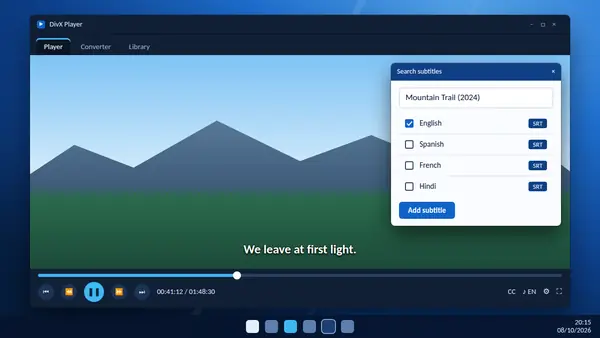
DivX Player connects to the OpenSubtitles.com database, which holds millions of subtitle files in more than 50 languages.
- Open your video in DivX Player.
- Open the subtitle menu on the playback bar and choose the search option.
- Type the film or programme title. Use the full title, because very short searches of one or two characters return an error.
- Pick your language and choose a result from the list.
- Add it. The subtitles appear on the video straight away.
You need an internet connection for the search. If the first result is out of step with the dialogue, try another one from the list. Different files are timed for different releases of the same film.
Load a subtitle file you already have
If you have a subtitle file on your computer, drag it onto the player window while the video is open, or load it from the subtitle menu. SRT is the most common format and works well.
A simple habit helps here: keep the subtitle file in the same folder as the video and give both the same name, for example film.mkv and film.srt.
Use subtitles built into the video
MKV and MP4 files often carry subtitle tracks inside the file. Open the subtitle menu to see them and switch between languages. No download is needed.
Change how subtitles look
Open the subtitle settings to change the font, size and colour. Larger text helps on a television across the room, and a softer colour is easier on the eyes in a dark room.
When subtitles do not show
- Check that a subtitle track is selected in the menu and not switched off.
- Make sure you are connected to the internet when searching.
- If strange characters appear, the file uses a different text encoding. Download another version or save the file again as UTF-8 in a text editor.
- If the timing drifts, choose a subtitle made for your version of the video.
Keep subtitles when converting
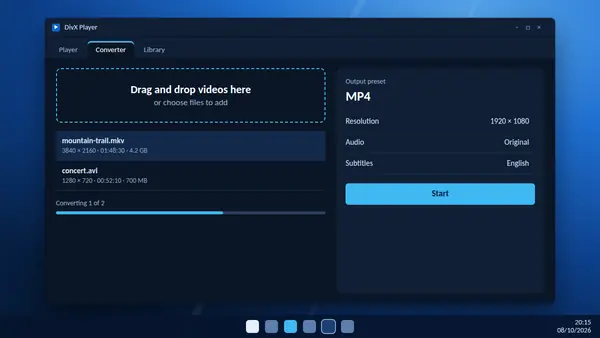
The converter in DivX Software can include subtitle tracks in the new file. It accepts SRT, ASS and SSA subtitles, so the text travels with the video to your phone or television.